



Article
When Your AI Agent Joins the Team

From learning to access control
In my previous article, I described building an AI agent that learns between sessions. An agent with structured memory and a self-correction loop. A system for accumulating experience across runs.
The moment other people needed access to it, the problem changed completely. It was no longer about whether the agent could learn. It was about who gets to teach it.
What happens when your team gets access to an AI agent
Most articles about AI agents focus on what the agent can do. Very few talk about what happens when someone other than the builder starts using it.
I built a Slack bot. The idea was simple: give the team a way to interact with the agent directly, ask questions, request analyses, get reports. No terminal. No code. Just Slack.
It worked immediately. And that is when the real problem appeared.
Free chat with an AI agent is a powerful interface. It is also a risk. If anyone on the team can write anything to the agent, anyone can accidentally overwrite its memory or change its behaviour. They can trigger actions that were not intended. The agent does not judge authority. It processes input.
The question was not whether the team should have access. The question was: what kind of access?
Role-based access control for AI agents
I ended up with a role system. Three levels: admin, analyst, viewer.
The viewer can read reports and see what the agent produces. Nothing more. No commands, no chat, no influence on behaviour.
The analyst can do more. They can ask questions. They can run predefined commands. And, this is the important part, they can write to the agent's memory. But only through an explicit command, not through free conversation. If an analyst types a memory instruction in the right format, the agent saves it. If they try to write it as a casual message, the system ignores it.
The admin has unrestricted access. Free chat, direct commands, memory writes, configuration changes.
This sounds like a standard permission model. But the distinction that matters is not who can read or write. It is who can teach. Because every memory entry changes what the agent knows. And what the agent knows shapes every future output.
Why AI agent memory becomes a shared knowledge base
This is something I did not fully appreciate until I saw it in practice.
In the previous article, I described the structured memory layer, a file the agent reads before each run, containing lessons from past sessions. What I did not say is what happens when that memory becomes shared.
The moment multiple people contribute to the agent's memory, it stops being a personal tool. It becomes a shared knowledge base. Every entry affects every future session, not just for the person who wrote it, but for everyone who interacts with the agent.
Uncontrolled access to that memory is a real risk. Not because people have bad intentions. But because the agent does not distinguish between a well-considered methodological insight and a casual remark someone typed without thinking. It treats both as equal truths.
Command-only memory access for analysts was the compromise. You can contribute. But you do it deliberately, in a structured format, and it is logged.
What happens when the agent gets the methodology wrong
This one caught me off guard.
Join the Library
Full access to my findings, personal stories, and what I learn from the people I meet.
Join the Library · €29.99 per year How do you stop depending on social media? Can… How to Start With AI in a Company: Automating… Fable 5 vs Opus: I Ran the Same Audit… I Ran Object Detection on My Laptop, and Saw… Bot or Human? What My… Dependent on AI: Are We…Get the full article by email and feel free to reply if you want to discuss it further.
Summary
Common questions on this article's topic
What is role-based access control for AI agents?
Why is AI agent memory a risk when shared across a team?
Can AI agents get trapped in logical errors?
What is the difference between an AI agent correcting itself and actually learning?
How do you deploy an AI agent for a team safely?
What is the biggest challenge when scaling AI agents from solo use to team use?
If you have any thoughts, questions, or feedback, feel free to drop me a message at mail@richardgolian.com.
 LinkedIn


Related articles
In April, in the first part of this series, I wrote about an AI prediction system I had started building on my own machine. At the time the software was a few hours old and the prediction record was empty. The record since then has shown one thing: the system does not yet understand the market it is being asked to forecast. It can pull macro context, book value, earnings. But it cannot put those together into something that helps it understand the price.
I am building an AI system to predict the S&P 500. It runs on my own machine, uses free public data (yfinance, FRED, the Shiller dataset), and grades every forecast against reality. This series documents the build itself: the decisions, the methodology, the mistakes. What I will eventually share from the running system is a separate question, and an honest one.
Yesterday I could not tear myself away from the computer. When I lifted my head, it was half past eight in the evening. I had been sitting alone upstairs for about three hours.
More articles
How and why I am gradually leaving social media and the big platforms. When I read that Meta is testing a new way to charge for organic posts that link outside its platform, it confirms how right I was to become steadily less dependent on the big platforms and on social media. It does not mean I have left them completely. It means that whether or not I stay in touch with my readers depends on them less and less, and today almost not at all.
One of my family members described a firm that has its data in several different tools, and its employees still join it by hand, in spreadsheets. That is the ordinary state of firms. When somebody tells such people not to do it by hand and to use AI, they will not understand. Most firms do not even have the basic connectors between the tools they use. These firms need help with AI transformation.
The same task, two models. Fable 5 against Opus 4.8. On paper Fable is the better model, with a larger context and stronger specs. And still it lost. Opus handled the task with a single round of checking for 721,000 tokens, while Fable needed nine rounds and burnt through 2.78 million tokens. The difference was not in the model, but in how I set the task. And I know it, because I measured it.
A few weeks ago I installed a small local AI model on my laptop that watches a live camera feed. I turned the webcam on in the dark, and in near total darkness it recognised me and the objects in the room. That such things exist, I have known for a long time. What opened my eyes was the accessibility. I installed it in one prompt, free, and it runs entirely on my machine, sending data nowhere.
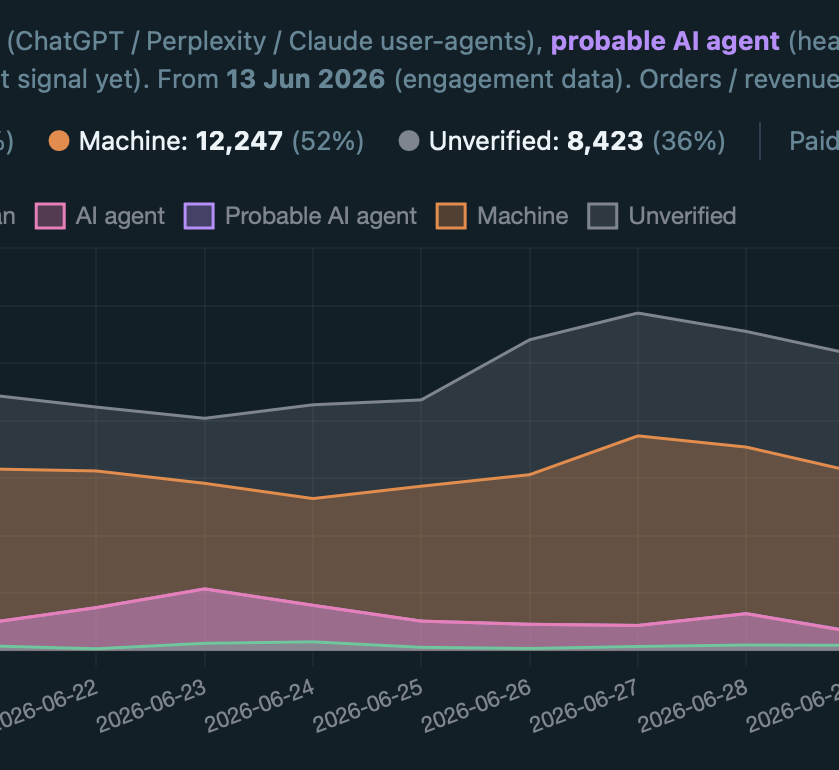
I once wrote about building my own privacy-friendly analytics tool. It had bot detection from the first version, yet it was not enough. Direct visits took a strangely high share of my traffic. When someone claims that 20% of their visits are bots and 80% are humans, I used to think the same. Today I would say the opposite ratio is closer to the truth. This is how I got there.
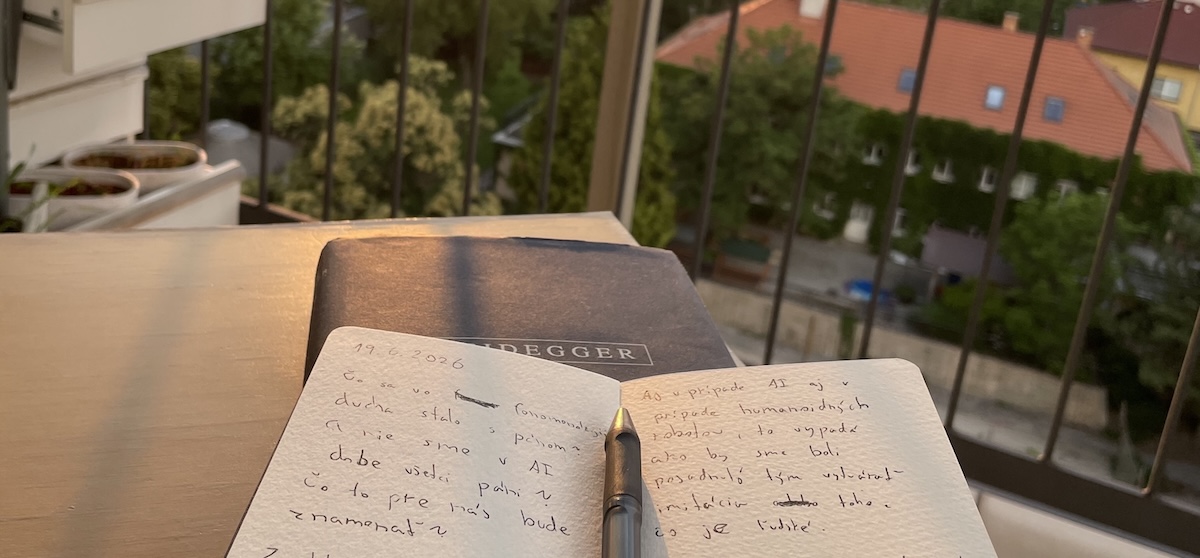
I have Heidegger and my notebook beside me. I am asking where all of this is heading, where artificial intelligence is taking us.
Seventy per cent. That is where the first AI output begins, even when you give it the full company context and the best examples from the past. We are talking about the kind of output that cannot be defined programmatically. It is more complex. Often it is creative work. On one repeated type of output I reached eighty per cent within a week. Every further percentage point is harder than the one before.
For a long time we treated the internet as the main road. The place where work and relationships happen. Yet most of what we see on it today is, or soon will be, AI-generated: text, images, profiles and comments. The internet is turning into an online game full of bots, where you cannot be sure that a human is on the other side of anything. So I ask: was the online world the main road, or only a temporary detour that part of us will return from, back offline?
A few days ago I interviewed a senior marketer. An experienced man, years of practice. I asked him about AI. He said he barely uses it. He had one bad experience with the output and decided he was too senior for it to add value when it is not perfect. I know the other side too: professionals who automate everything that can be automated.
Europe does not have the capacity to face a full-scale, mass drone war of the kind we see in Ukraine. Three dependencies weaken it: China supplies the physical material for defence systems, the United States supplies capabilities Europe does not have, and twenty-seven states cannot agree how fast, or who pays. Rearmament plans exist, but they are being carried out slowly.

Four days in Catalonia. No computer, no AI, almost no social media. I bought this notebook so that I could write down what I would think about, and what I would come across and learn on the trip.